October 2026
The VobeSoft API, richer dynamic titles & more
Connect your own systems with the VobeSoft API
VobeSoft is built to be your single source of truth. But your data doesn't start and end inside it: leads come in through your website, new hires start in your HR package, invoices go out from accounting. Keeping all of that in step has meant exports, imports, and someone copying values from one screen to the next.
With the VobeSoft API, your own systems can now work with your VobeSoft data directly. They can read the structure of your collections, create, read, update and delete items and the rows in their lists, and upload files to file fields (the files tab follows later). They can also search, with the same AND/OR conditions and grouping you know from the criteria builder: every deal above €10.000 that's still open, for example. And the same search keeps two systems in sync: your system asks VobeSoft what changed since it last looked, instead of reading everything again.
And it goes well beyond linking the systems you already have. The API opens the door to automations that create follow-up items or update a status the moment something changes elsewhere. You can also connect an AI assistant, for example one that reads a support ticket and drafts a reply, or turns incoming emails into items. Whatever you connect, the data it works with lives in VobeSoft, structured the way you set it up. As always, we're curious to see what you build with it.
Opening a door doesn't mean leaving it open, though. Nothing goes in or out until an administrator creates an API key in Settings, API, and each key only gets what you give it: you choose exactly what it may do and set its permissions per collection and category, just like a role. You can disable a key at any time, or give it limits of its own, so one system never uses up the calls your other systems need. Every change made through a key shows up in the item's history, and each key keeps its own access log, so you always know which system did what.

Take an HR context: when someone is hired in your HR system, a key that may only create employees can add them to VobeSoft right away, with the signed contract in a file field. It can't see your customers or your deals, because you never gave it access.
How to use it? An administrator creates a first key in Settings, API. From there, our API guide takes your developers from that key to their first item in five steps. The API isn't part of every plan. If your environment doesn't have it and you could use it, drop us a line at support@vobesoft.com.
Learn more about the VobeSoft API ->
Dynamic titles, built your way
The dynamic title does a lot of quiet work. It's what you see at the top of an item, in your lists, in linked fields and in your portal, so it decides how quickly you recognize the item you're after. Until now you could combine three fields, but always with the same divider between them and in a fixed order, so a title rarely read the way you'd naturally say it.
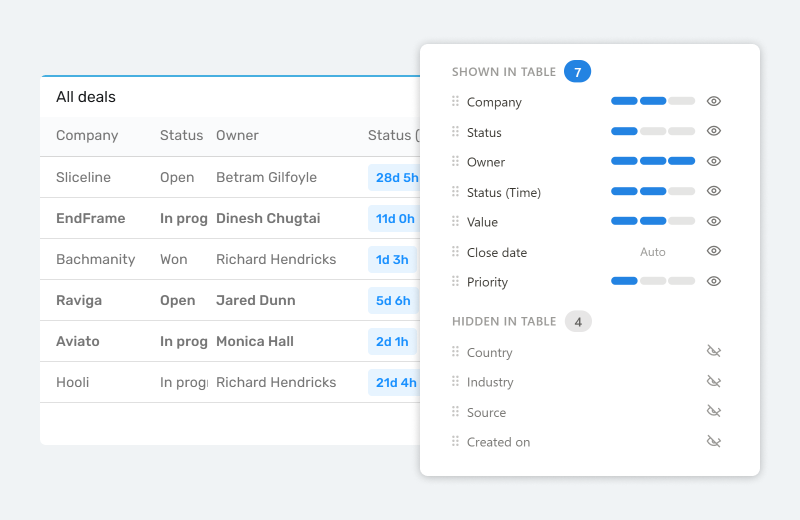
You can now build a dynamic title from up to four fields, put them in any order, and pick a different divider between each of them. A contact can read "Hendricks, Richard – Hooli", a contract "Pied Piper / Service agreement / 2026". Setting it up happens in a completely new, much friendlier screen, with quick pickers for the most used dividers. Need something else? Just type your own.

The payoff shows up everywhere the title does: the right item at a glance, without opening it to check.
🦋 Improvements
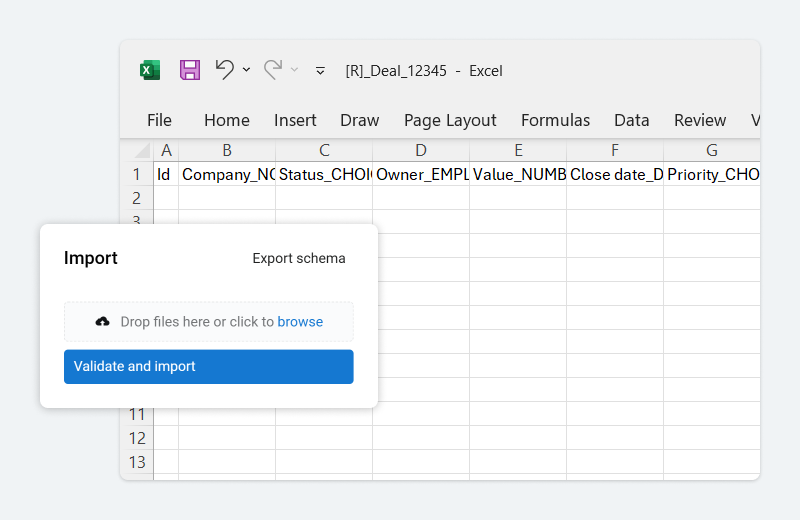
- The import tool now gives you a lot more feedback. When something in your files isn't right, such as a CSV name it doesn't recognize or a mistake in your options.xml, you get a clear message in your own language telling you what to fix, instead of a general error
- When an import stops partway, it now tells you the table and row it stopped on and why, and reminds you that rows already imported stay in place, so you can check them before importing the file again
- Uploading a file with a name that already exists no longer overwrites the original. The new file gets (1), (2) and so on added to its name
- Numbers now look the same wherever they appear: in the field, dynamic titles, lists, totals and history. Currency amounts get thousands separators and show their cents unless the amount is whole (€35, €35,50), with up to four decimals when needed, plain numbers and percentages show as typed, and titles follow your language, so a Dutch user no longer sees €12,345.67
- Rows in a flat list can now be exported, just like items
- Portal users with the Export Data permission can now export items to PDF and Excel, limited to the items they're allowed to open
🪲 Bug fixes
- Closing an item you just saved no longer shows an "unsaved changes" warning. This happened on items with a link, an @mention or imported text in a long text field
- Changing a number with the arrow keys now saves the number you see, not the one before it
- Mirror fields on a duplicated item now show their values in list widgets
- Usernames with umlauts and other special characters now display correctly in list widgets
- Deleted items no longer linger in the pipeflow widget
- Links in text fields have their web icon button back